Saves
An demonstration of UPSPlayerPrefs: a grid of focusable elements, each bound to a different key/type (int, float, string, bool). Press Apply to mutate the value at the focused cell, watch the on-screen text refresh, then quit and re-open the scene - the values persist through the configured IFileSystem.
| Scene | Assets/UpscaleSDK/Samples/Saves/Saves.unity |
|---|---|
| Scripts | SavesTest.cs, ErrorPopup.cs, PopupErrorHandler.cs |
| Prefab | ErrorPopupPrefab.prefab |
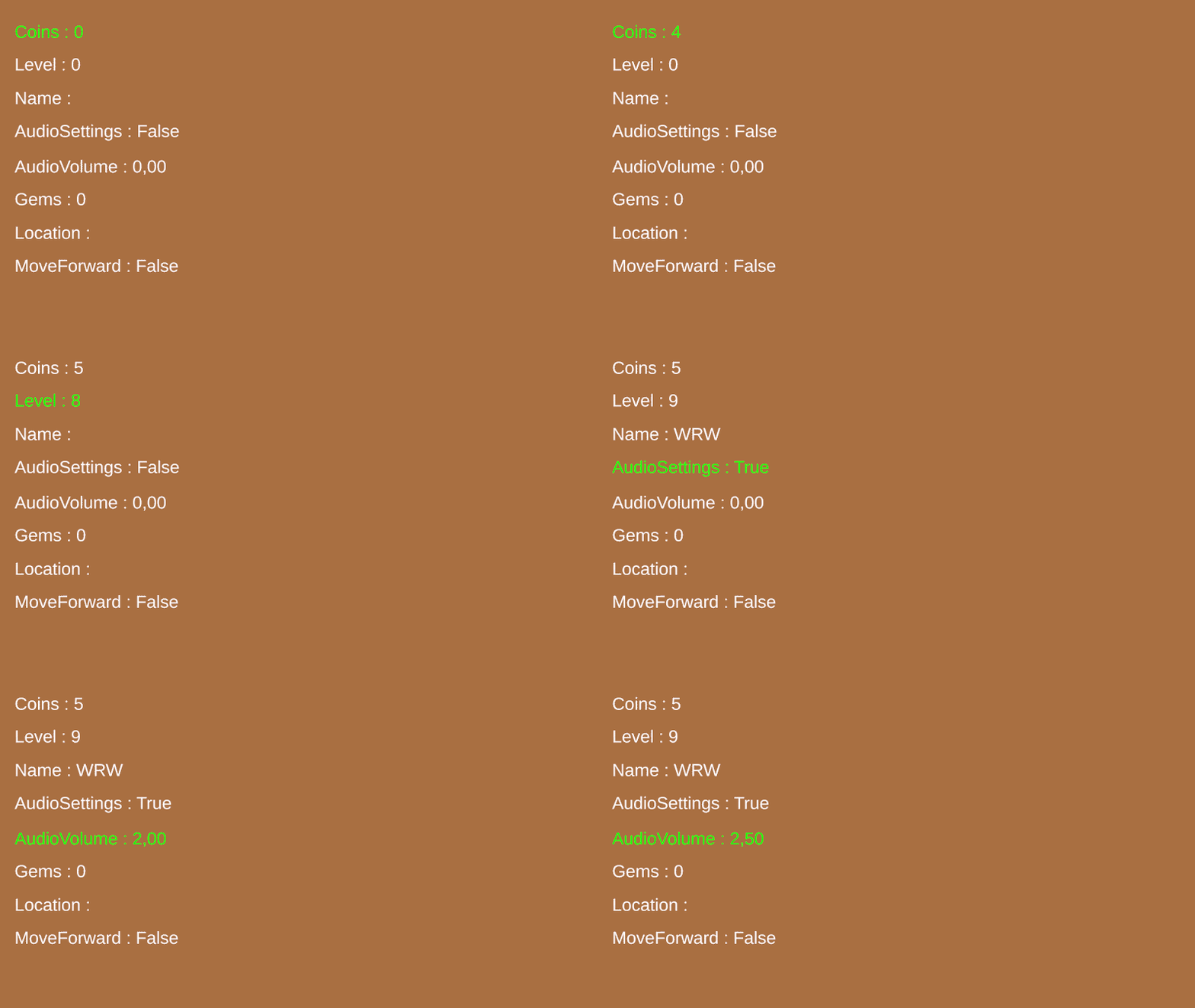
What it demonstrates
- The full
UPSPlayerPrefssurface -GetInt/SetInt,GetFloat/SetFloat,GetString/SetString,GetBool/SetBool - Gating reads / writes on
UPSSaves.Prefs.IsReady - Driving a UI element from a
UIElement'sOnFocusChanged/OnInteractedevents - Wiring an in-game popup to
ErrorHandler.OnErrorso save failures actually surface to the player
How to run
- Open
Saves.unity. - Press Play. The grid loads its current values from storage (defaults if first launch).
- Navigate with the gamepad / arrows and press the Apply button - the focused cell mutates its key.
- Stop and re-enter Play. The mutated values are still there.
Info
This scene wires PopupErrorHandler to ErrorHandler.OnError so any I/O failure raised through the global dispatcher spawns the ErrorPopupPrefab with the message attached.
Warning
Make sure you complete a saves module setup. (see Manual → Saves → Setup).